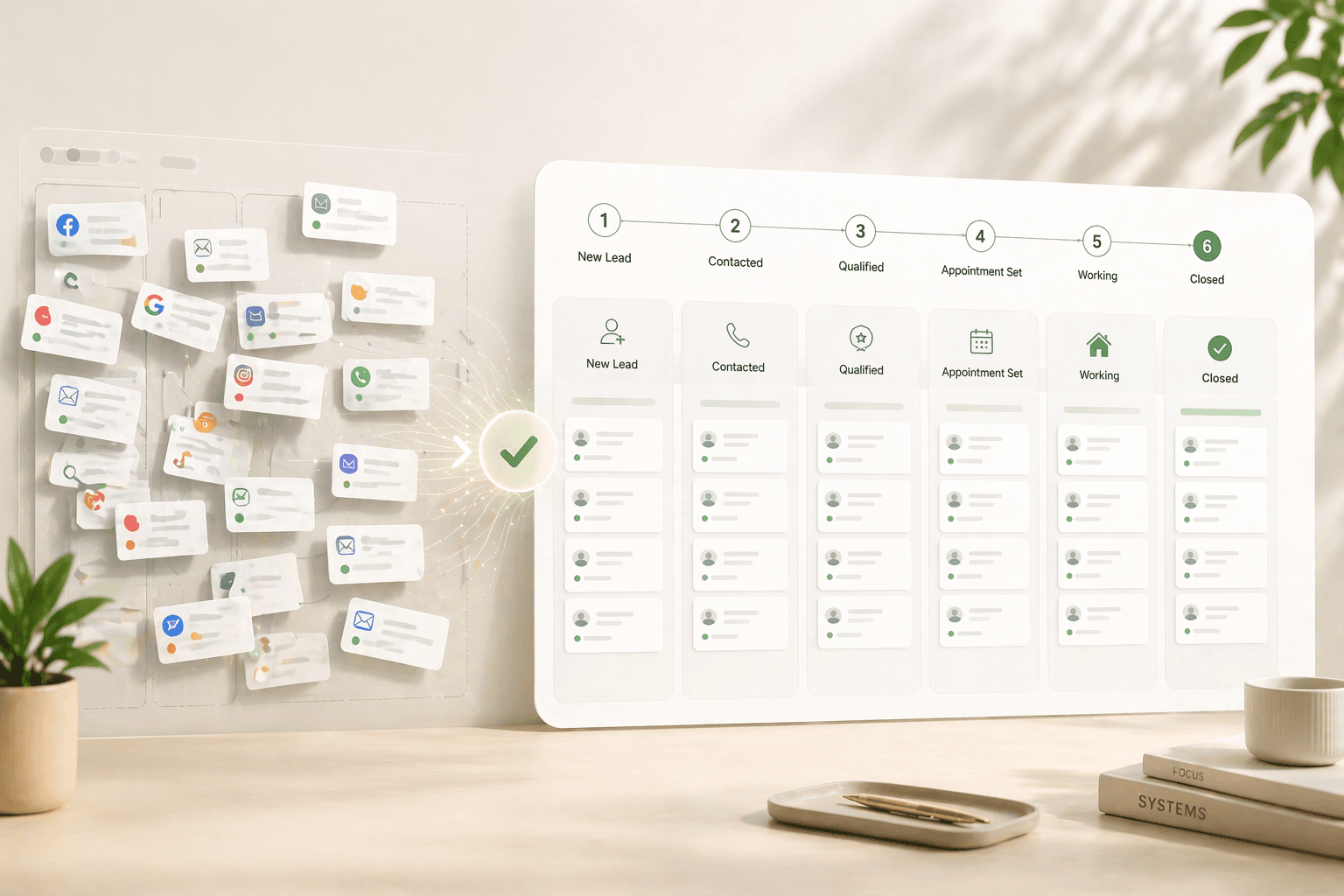
Real Estate Follow-Up Systems: Why Manual Processes Fail at Scale

Quick Answer
Why do manual real estate follow-up systems fail and what should agents use instead?
Manual follow-up fails because the average real estate agent takes 15 hours to respond to a new lead, according to NAR data cited by industry benchmarkers — while the MIT and InsideSales.com Lead Response Management Study found you become 21 times more likely to qualify a lead when you respond within 5 minutes versus 30 minutes. The problem compounds because 80% of sales require five or more follow-up attempts, per Salesforce research, yet 44% of salespeople give up after just one. Traditional CRMs don't solve this — Johnny Grow's CRM Failure Report found 55% of CRM implementations fail to achieve their planned objectives, primarily because they rely on user discipline rather than automating follow-up decisions. Effective systems combine immediate automated response, behavioral lead scoring, and rule-based nurture sequences that fire based on prospect actions rather than arbitrary schedules.
Key Takeaways
- Real estate agents average 15 hours to respond to a new inbound lead, per NAR-cited benchmarks — while the MIT and InsideSales.com Lead Response Management Study found that responding within 5 minutes makes you 21 times more likely to qualify the lead than waiting 30 minutes.
- 80% of successful sales require five or more follow-up attempts, yet 44% of salespeople give up after one attempt and 48% never follow up at all, per research compiled by Salesforce and Invesp.
- 55% of CRM implementations fail to achieve their planned objectives, primarily because the systems require consistent human discipline rather than automating the decisions themselves, according to Johnny Grow's CRM Failure Report.
- Sales reps spend only 28–30% of their workweek actually selling, with 17% consumed by CRM data entry alone, per the Salesforce State of Sales Report 2024 — time that compounds as lead volume grows.
- Decision automation — systems that surface the right lead at the right moment based on behavioral signals — outperforms task automation by adjusting priority in real time rather than executing predetermined sequences.
- Companies that excel at lead nurturing generate 50% more sales-ready leads at 33% lower cost, per Forrester Research — making the economics of systematic nurture far stronger than simply increasing lead volume.
Sarah Okonkwo, a solo agent in Atlanta, received 22 leads in a single week in March 2025 — a mix of Zillow inquiries, open house sign-ins, and two referrals from past clients. She responded to 11 of them that day. The other 11 sat in her inbox over a weekend while she managed three active clients through offer negotiations. By Monday, six had already signed with other agents. Two of those six, she later discovered, were pre-approved buyers with offers ready to write. They chose whoever called first. Combined estimated gross commission from those two deals: $19,000. Not lost to a competitor's skills or pricing — lost to a 48-hour response gap.
This article breaks down exactly why manual follow-up processes fail mathematically, not just operationally — and why traditional CRMs, despite their sophistication, tend to recreate the problem rather than solve it. You'll learn the specific difference between task automation and decision automation, and what a system that actually handles lead prioritization at scale looks like in practice.
- The Math of Manual Follow-Up (Why It Breaks)
The speed problem alone is enough to doom a manual follow-up process. The MIT and InsideSales.com Lead Response Management Study — conducted by Dr. James Oldroyd across millions of lead interactions — found that responding within 5 minutes makes you 21 times more likely to qualify a lead than if you wait 30 minutes. Velocify's research tightens that window further: calling within the first minute produces a 391% improvement in contact rate compared to calling two minutes later. These aren't gentle curves — they're cliffs. After 5 minutes, 80% of lead quality is already gone.
The response gap: Real estate agents average 15 hours to first contact a new lead — while leads contacted within 5 minutes are 21 times more likely to qualify than those contacted at 30 minutes. — NAR benchmark data; MIT and InsideSales.com Lead Response Management Study, Dr. James Oldroyd
The follow-up persistence problem compounds the speed problem. According to research compiled by Salesforce, 80% of successful sales require five or more follow-up attempts after initial contact. Yet 44% of salespeople give up after a single attempt, and 48% never attempt any follow-up at all. In real estate, where buying decisions take weeks to months, this means the majority of agents are abandoning prospects who would have transacted — just not immediately. The agent calls once, gets voicemail, and marks the lead as unresponsive.
The Manual Follow-Up Death Spiral
Here's the pattern that plays out for virtually every agent managing leads without a systematic process. Week 1: 15 new leads arrive from multiple sources. The agent responds immediately to the 8 that came in during working hours. The other 7 go into a mental queue. Week 2: Three of the 8 responded contacts schedule consultations. Five go quiet. The agent intends to follow up but gets drawn into transaction management for the active clients. Week 3: The original 7 uncontacted leads are now 10+ days old. Five leads from Week 2 are forgotten. New leads keep arriving, stacking on top of the unresolved backlog.
Week 4 brings what many agents call "the blast" — a mass email to the entire database that says "Just checking in!" The response rate is 2–3% because the message is generic, poorly timed, and arrives weeks after most prospects have already moved forward. The agent concludes that email follow-up doesn't work and stops doing it systematically. The real conclusion, backed by data: email works when it's timely and relevant. A single mass blast is neither.
The Cognitive Bandwidth Ceiling
The underlying cause of this spiral is neurological, not motivational. Research in cognitive psychology consistently finds that working memory can hold approximately 7 items simultaneously — a finding attributed to George Miller's landmark 1956 study in Psychological Review. Asking any human to manually track the follow-up timing, engagement history, and appropriate next action for 50 or 100 prospects at varying stages of readiness is not a discipline problem — it's a brain architecture problem. The only way to solve it is to remove the tracking and prioritization decisions from human memory entirely.
The time cost reinforces the ceiling. Salesforce's State of Sales Report 2024 found that sales representatives spend only 28–30% of their workweek actually selling. CRM data entry alone consumes 17% of working hours. For an agent managing 40 hours per week, that's nearly 7 hours spent logging contacts and updating records — time that doesn't generate revenue and doesn't follow up with anyone.
- Why CRMs Don't Fix This (They Require Discipline)
The real estate industry has largely accepted that CRM software is the answer to the follow-up problem. Nearly every brokerage recommends one. Many agents own two or three. Yet the results don't match the investment. Johnny Grow's CRM Failure Report — which surveyed businesses across industries and defined failure as not achieving originally planned objectives — found a 55% failure rate. Gartner has reported rates between 47% and 50%. Forrester put it between 30% and 70%. The consistent finding across every analyst: most CRM implementations don't deliver what they promised.
Why CRMs fail: User adoption is the number-one cause of CRM failure — more than any technical issue. 23% of users cite manual data entry as a major barrier; 76% say less than half of their organization's CRM data is accurate and complete. — Radin Dynamics, 2025; CRM.org, 2026
The Discipline Bottleneck
A CRM functions as a highly organized container. It stores what you put in it, reminds you of what you tell it to remind you about, and reports on the data you've logged. The "discipline bottleneck" is that every one of those inputs requires a human decision and a human action: log this call, set this reminder, update this stage, segment this contact. When agents are managing active transactions — doing showings, writing offers, handling inspection negotiations, coordinating closings — these inputs are the first thing that gets skipped.
A CRM.org analysis found that 23% of CRM users cite manual data input as their major obstacle to effective use, and 76% say less than half of their organization's CRM data is accurate and complete. For solo agents without administrative support, those numbers are likely worse. An inaccurate CRM doesn't just fail to help — it actively misleads. An agent who believes their CRM shows all active leads when 30% were never properly logged has a false sense of pipeline visibility that results in missed follow-up on real prospects.
The Three Fundamental Problems
Problem 1: It feels like extra work. The Salesforce State of Sales Report 2024 found that sellers in the US and Canada spend 19% of their time specifically on CRM updates — nearly one-fifth of the workweek entering data rather than selling. When agents feel the CRM is creating work rather than eliminating it, adoption collapses. They maintain contact records in their phone's native contacts app, deals in a personal spreadsheet, and follow-up reminders in their calendar — fragmenting data across five systems with no visibility into any of them.
Problem 2: Compliance doesn't equal utilization. An agent might technically update their CRM once a week as required by their brokerage. But updating one record on Tuesday while leaving 15 new leads unlogged produces compliance metrics that look fine and pipeline data that is functionally useless. Reporting dashboards show green; actual follow-up rate is 30%.
Problem 3: Reminders don't ensure priority. A CRM can remind you to contact Prospect A on Thursday. It cannot tell you that Prospect B — not scheduled for outreach until next Monday — spent 45 minutes on your website last night, viewed seven listings in a $650,000–$800,000 range they've never searched before, and should jump to the top of your call list today. Static reminders execute predetermined schedules. They don't respond to real-time signals.
- The Difference Between Task Automation and Decision Automation
The conceptual breakthrough in lead management isn't task automation — it's decision automation. Most agents and most software vendors conflate these two categories. Understanding the difference determines whether your system compounds over time or simply executes a slightly more organized version of what you were already doing manually.
Task Automation: What Most Systems Deliver
Task automation handles the execution of predetermined actions: send a welcome text when someone fills out a contact form, deliver an email sequence at days 1, 3, 7, and 14, set a calendar reminder for a follow-up call, log an interaction when an email is opened. These are genuine improvements over pure manual processes — they ensure minimum viable follow-up happens consistently rather than depending on the agent's memory. Forrester Research found that companies excelling at lead nurturing generate 50% more sales-ready leads at 33% lower cost than those without nurture systems, and task automation is the baseline that makes nurture possible.
The limitation is that task automation is static. It executes the same sequence for the prospect who viewed one listing three months ago and the prospect who viewed 12 listings last night, filled out a mortgage calculator, and bookmarked four properties. The sequence fires on a calendar schedule regardless of what the prospect is actually doing. It doesn't prioritize. It doesn't adapt. It can't tell you which of your 80 active leads most urgently needs your attention today.
Decision Automation: What Intelligent Systems Do
Decision automation makes judgment calls in real time based on behavioral data — the kind of judgments a skilled agent would make if they had time to monitor every contact simultaneously. In practice, this means:
Behavioral prioritization: When a prospect opens three emails in one day after 45 days of silence, the system immediately elevates their priority score and surfaces them for same-day outreach — not because Thursday was their scheduled call day, but because their behavior just signaled renewed intent.
Pattern-triggered alerts: When a contact who has consistently browsed starter homes in the $350,000–$450,000 range suddenly searches listings in the $700,000–$900,000 range, the system flags this behavioral shift rather than continuing an inappropriate nurture sequence. The price range change typically reflects a life event — a job change, an inheritance, a second income — that changes the entire opportunity.
Dynamic content matching: Instead of sending every prospect the same 30-day email sequence, the system delivers content matched to each contact's demonstrated interests — first-time buyer guides to contacts browsing starter homes and financing content, seller preparation checklists to contacts who have previously owned, investment analysis content to contacts viewing multi-unit properties.
Probability-weighted prioritization: The system identifies which leads in your database, based on recency of engagement, completeness of profile, and behavioral signals, have the highest probability of transacting in the next 30–90 days. It surfaces those contacts first — not alphabetically, not by when they last received a scheduled touchpoint, but by actual conversion likelihood. Pinova's lead intelligence layer scores and re-ranks every active contact nightly based on these signals, presenting agents with a prioritized daily call list that reflects what the data says, not what a calendar arbitrarily scheduled.
The compounding benefit of decision automation is scale independence. Task automation becomes harder to manage as lead volume grows — more sequences to monitor, more reminders to review, more exceptions to handle. Decision automation gets more accurate as it processes more behavioral data. A system managing 300 leads uses more signal than a system managing 30, and the prioritization becomes more precise over time rather than more overwhelming.
What This Looks Like in Practice
Consider an agent with 120 active contacts at various stages — new inquiries, ongoing nurture, past clients, geographic farm prospects. A task automation system sends scheduled emails and creates calendar reminders. The agent still decides each morning who to call, based on their own memory and the reminders that appear. A decision automation system delivers a ranked list: "These five contacts showed high-intent signals in the last 24 hours. Three of them are due for a fifth follow-up, which is where 80% of eventual conversions occur based on Salesforce's research on follow-up persistence. Two are new contacts who went 13 hours without a response." The agent doesn't decide who to call. The system tells them, and explains why.
| Key Statistic / Finding | Source & Year |
|---|---|
| Responding to a lead within 5 minutes makes you 21 times more likely to qualify it than waiting 30 minutes; 78% of customers buy from the first company to respond | MIT and InsideSales.com Lead Response Management Study, Dr. James Oldroyd |
| Calling within the first minute of inquiry produces a 391% improvement in contact rate compared to calling two minutes later | Velocify Lead Response Research (now ICE Mortgage Technology), 2012 |
| 80% of successful sales require five or more follow-up attempts; 44% of salespeople give up after one attempt; 48% never follow up at all | Salesforce Sales Research and Invesp (compiled by HubSpot Sales Statistics 2024) |
| 55% of CRM implementations fail to achieve their planned objectives; when measured by business users specifically, only 41% report objectives achieved | Johnny Grow CRM Failure Report |
| Sales representatives spend only 28–30% of their workweek actually selling; CRM data entry consumes 17% of working hours; administrative tasks occupy 43% of some reps' time | Salesforce State of Sales Report 2024 |
| User adoption is the number-one cause of CRM failure; 23% of users cite manual data entry as a major obstacle; 76% say less than half of their CRM data is accurate and complete | Radin Dynamics 2025; CRM.org 2026 |
| Companies excelling at lead nurturing generate 50% more sales-ready leads at 33% lower cost than those without nurture systems | Forrester Research (compiled by HubSpot and SPOTIO 2024) |
| Only 0.1% of inbound leads are engaged within 5 minutes; 57.1% of first contact attempts occur after more than a week — from a study of 55 million sales activities across 400+ companies | InsideSales.com 2021 Lead Response Research |
| Sales professionals estimate they save approximately 2 hours and 15 minutes per day by using AI or automation to handle manual tasks such as data entry, note-taking, and scheduling | HubSpot 2024 Sales Trends Report |
Frequently Asked Questions
How quickly should a real estate agent respond to a new lead?
Within 5 minutes is the research-backed standard, and within 1 minute is the gold standard. The MIT and InsideSales.com Lead Response Management Study found that responding within 5 minutes makes you 21 times more likely to qualify a lead than responding at 30 minutes. Velocify's research found that calling within the first minute produces a 391% improvement in contact rate. Real estate agents average 15 hours to first contact — a gap that means most leads have already spoken to a competitor before the agent calls back.
How many follow-up attempts should I make before giving up on a real estate lead?
At least five, and ideally more. Salesforce research found that 80% of successful sales require five or more follow-up attempts after initial contact. But only 8% of salespeople follow up more than five times — which means the persistent minority captures the vast majority of converted leads. In real estate, where buyers and sellers may take 3–12 months to transact, a systematic follow-up sequence running across weeks and months is far more appropriate than a 1–2 attempt sprint followed by abandonment.
Why do real estate CRM systems have such high failure rates?
Johnny Grow's CRM Failure Report found a 55% failure rate — defined as failing to achieve the planned business objectives — with Gartner reporting similar figures of 47–50%. The primary cause is the discipline bottleneck: traditional CRMs require the agent to manually log every interaction, set every reminder, and update every lead stage. When agents are managing active transactions, CRM maintenance is the first thing abandoned. CRM.org's 2026 analysis found that 76% of users say less than half of their CRM data is accurate and complete — making the system actively misleading.
What is the difference between task automation and decision automation in real estate lead management?
Task automation executes predetermined sequences: send a welcome email, fire a drip sequence at set intervals, create calendar reminders. It runs the same process for every contact regardless of their behavior. Decision automation adjusts in real time: when a contact who was silent for 60 days suddenly views eight listings in one evening, the system immediately surfaces them for priority outreach rather than waiting for a scheduled touchpoint. Decision automation prioritizes based on behavioral signals; task automation prioritizes based on calendar position.
How much time do real estate agents lose to manual follow-up processes?
The Salesforce State of Sales Report 2024 found that sales reps spend only 28–30% of their workweek actually selling, with CRM data entry consuming 17% of working hours. For a 40-hour week, that's nearly 7 hours per week on data entry alone. HubSpot's 2024 research found that sales professionals using AI and automation save approximately 2 hours and 15 minutes per day on manual tasks. For agents managing high lead volumes, that reclaimed time translates directly into more consultations, showings, and closings.
What behavioral signals indicate a real estate lead is ready to transact?
The highest-reliability signals include: repeated property views within a 24–48 hour window (indicates active comparison shopping), a shift to a significantly different price range than historical searches (indicates a life change), direct engagement with financing or mortgage content on your website, return visits after 30+ days of inactivity (indicates they're back in research mode), and opening multiple emails in a single session. Any one of these signals warrants immediate outreach — not waiting for the next scheduled touchpoint. A lead scoring system should weight these signals and alert the agent in real time.
Is it worth investing in automated follow-up systems as a solo real estate agent?
Yes, and the ROI case is especially strong for solo agents who can't hire an ISA. Forrester Research found that companies excelling at lead nurturing generate 50% more sales-ready leads at 33% lower cost. For a solo agent with a 200-contact database and no systematic nurture process, converting even two additional leads per year from existing contacts — at a median gross commission of $8,000–$12,000 per deal — produces $16,000–$24,000 in incremental income from contacts already in hand, requiring no additional lead spend.
What should a real estate follow-up sequence look like after initial contact?
A baseline sequence for new leads: a text response within 5 minutes of inquiry (automated), a personal call within 1 hour, a follow-up email at 24 hours with a relevant property update or market insight, a check-in call at day 3, another personalized email at day 7, and a phone call at day 14. Beyond two weeks, shift to a lower-frequency nurture: a monthly market email specific to their neighborhood or search area, and a personal outreach every 30–45 days until they transact or explicitly opt out. The critical failure point is days 2–7, where 44% of agents have already given up but most leads have not yet made a decision.
Amaan Sheikh
— Co-Founder & CEOAmaan Sheikh is the co-founder and CEO of Pinova. He sets the product direction, builds the partnerships, and personally works with every founding partner. His focus is making enterprise-grade real estate technology accessible to ambitious agents and teams — without the enterprise price tag.