Real Estate Workflow Optimization: The 6 Systems Every Brokerage Needs

Quick Answer
What workflow systems does a real estate brokerage need to increase lead conversion?
Every brokerage needs six core systems running in coordination: lead capture, lead scoring, nurture sequencing, transaction coordination, analytics, and reporting dashboards. The MIT and InsideSales.com Lead Response Management Study found that leads contacted within 5 minutes are 21 times more likely to qualify than those reached after 30 minutes — yet Inman's 2025 Real Estate Technology Survey found the average agent waits over 15 hours to respond. Brokerages that unify these six systems in a single platform eliminate the sync delays and accountability gaps created by running 8–12 separate tools. The result is faster response, consistent follow-up, and full pipeline visibility for brokers — without adding admin overhead for agents.
Key Takeaways
- The average real estate agent takes 917 minutes — over 15 hours — to respond to a new lead, per Inman's 2025 Real Estate Technology Survey, creating a wide opening for brokerages that automate first response.
- Leads contacted within 5 minutes are 21 times more likely to qualify than those reached after 30 minutes, per the MIT and InsideSales.com Lead Response Management Study — making automated acknowledgment the single highest-leverage workflow change a brokerage can make.
- Agents who set up CRM workflows report 28% higher lead engagement than those using manual follow-up alone, per InsideSales.com data cited by Real Geeks.
- The NAR 2024 Member Profile shows agents spend only 26% of their working hours on revenue-generating tasks — the other 74% goes to paperwork, data entry, and coordination that workflow automation can absorb.
- Brokerages using scattered, non-integrated tools face exponential coordination overhead: data fragments across platforms, integrations break when vendors update APIs, and brokers lose visibility into what agents are actually doing.
Pamela Miller, a broker-owner running a 12-agent team in Austin, was spending three hours every Sunday manually compiling her weekly pipeline report — pulling numbers from her CRM, her email platform, her transaction management system, and a shared Google Sheet her agents were supposed to (but rarely did) keep current. In Q3 2024, her team touched 214 leads. They closed 11 deals. She had no reliable way to know which leads had received follow-up, which had gone cold without a response, or which agents were actually adhering to the nurture sequences she'd built. The $800,000 in potential gross commission that slipped through her pipeline that year didn't vanish because of bad leads. It vanished because disconnected tools made accountability invisible.
This article explains the six workflow systems every brokerage needs, why scattered tools actively create bottlenecks rather than solving them, and the design principles that separate functional automation from real workflow intelligence. By the end, you'll know exactly what to measure to determine whether your current systems are working — and where the gaps are costing you closings.
- The Six Core Workflows
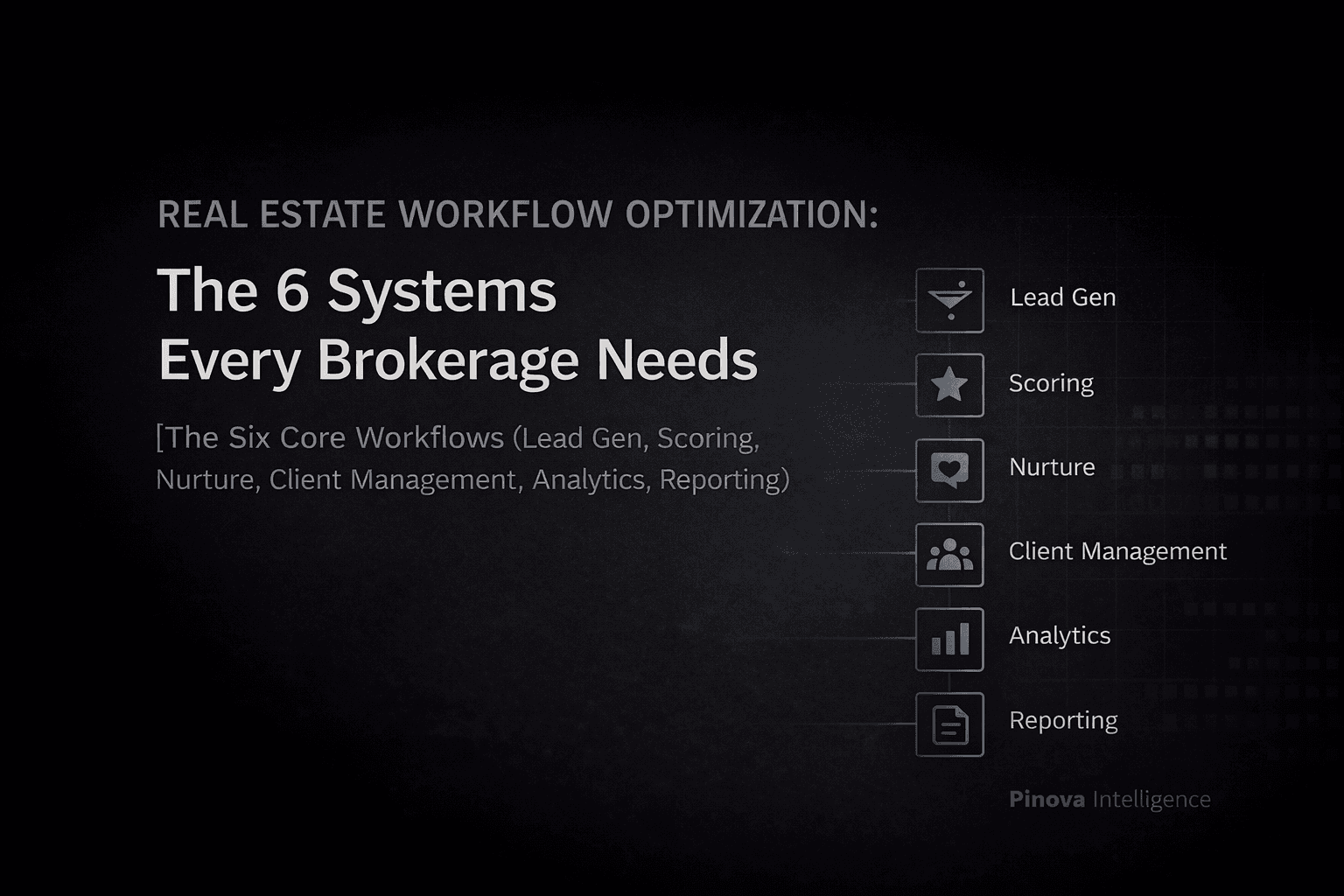
Every brokerage — regardless of size, market, or price point — requires six foundational workflow systems operating in coordination. These aren't optional enhancements. They're the operational infrastructure that separates brokerages with a consistent, measurable business from those that depend on individual agent heroics.
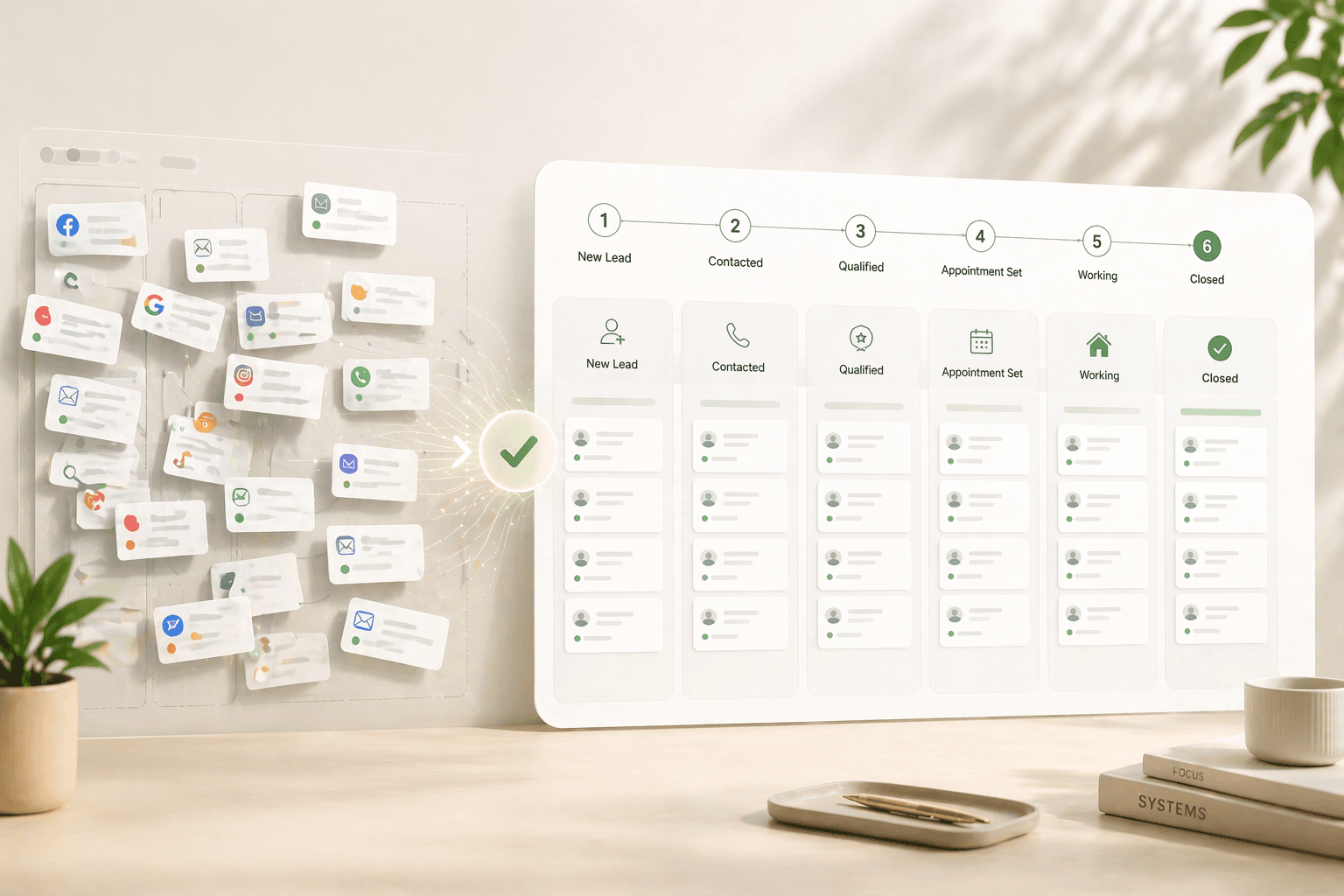
System 1: Lead Capture. The capture system pulls leads from every source — website forms, portal syndications (Zillow, Zillow, Realtor.com), social media inquiries, open house sign-ins, phone calls, referrals — into a single centralized database. It validates contact information, deduplicates records, tags source attribution, and timestamps arrival. Critically, it triggers an automated acknowledgment within 60 seconds of capture. That single action matters enormously: the MIT and InsideSales.com Lead Response Management Study, conducted by Dr. James Oldroyd, found that companies contacting a lead within 5 minutes are 100 times more likely to make contact than those waiting 30 minutes, and 21 times more likely to qualify that lead. Inman's 2025 Real Estate Technology Survey found the average agent takes 917 minutes — over 15 hours — to respond. Automated capture with instant acknowledgment closes that gap before a human ever picks up the phone.
Stat: The average real estate agent takes 917 minutes — over 15 hours — to respond to a new lead inquiry, while agents who respond within 5 minutes are 21 times more likely to qualify that lead. — Inman 2025 Real Estate Technology Survey; MIT/InsideSales.com Lead Response Management Study
System 2: Lead Scoring. Not every lead deserves equal attention today. Scoring analyzes behavioral signals (email opens, website visits, property views), qualification data (timeline, budget, pre-approval status), engagement velocity (frequency and recency), source quality (historical conversion rates by origin), and property match (alignment with available inventory). Scores update continuously. When a dormant prospect views six listings in one evening, their priority elevates automatically and the assigned agent receives an alert — surfacing hot opportunities without requiring manual database review. If you're not running a scoring system, you're asking your agents to read minds.
System 3: Nurture Sequencing. The nurture system maintains engagement with prospects who aren't ready to transact immediately — and that's most of your pipeline. First-time buyers receive educational content about financing and process timelines. Sellers evaluating timing receive comparable sales data and seasonal trend analyses. Relocating professionals receive neighborhood guides and school ratings. Sequences adapt based on engagement: if a prospect consistently opens property valuation emails but ignores lifestyle content, future outreach skews toward market data. The specific tactic that works: segment your database into four tracks on day one — buyer/active, buyer/nurture, seller/active, seller/nurture — and write three pieces of content for each track before you build a single automation rule. Content first, sequence second.
System 4: Transaction Coordination. Once a prospect converts to an active client, the system shifts to document collection and deadline management: contracts, disclosures, inspection reports, contingency dates, title coordination, lender milestones. Every required document lives in one location accessible to all relevant parties. Automated reminders fire before deadlines, not after. The NAR 2024 Member Profile found agents spend only 26% of their working hours on revenue-generating activities — the other 74% goes to paperwork and coordination. A transaction system doesn't eliminate that overhead; it routes it away from agents and into automated checklists.
System 5: Analytics. The analytics layer monitors leading indicators — response times, conversion rates at each funnel stage, engagement rates, pipeline velocity — and lagging indicators like transactions per agent and gross commission income. The critical diagnostic metric most brokerages ignore: follow-up adherence, meaning what percentage of prospects actually receive the planned number of touchpoints before archiving. If your sequences call for six follow-ups and prospects are receiving two, you have a workflow failure, not a lead quality problem.
System 6: Reporting Dashboards. Raw data requires interpretation before it drives decisions. The reporting layer transforms metrics into visual dashboards: team-level pipeline value, projected closings, individual agent conversion rates, and lead source ROI. These update in real time so brokers don't depend on self-reporting from agents — which, as every broker knows, is optimistic at best. The question to ask when evaluating any reporting system: can I see, right now, which agent last contacted a specific lead and when?
- Why Scattered Tools Create Bottlenecks
The average brokerage runs 8 to 12 separate software platforms: CRM, email marketing, transaction management, MLS access, website hosting, social media schedulers, document signing, accounting, and more. Each tool solves a specific problem but generates a new coordination tax the moment it's added.
The data fragmentation problem. When systems don't share a database, context fragments. A prospect's email address lives in the CRM, their property preferences exist in the MLS search portal, their showing history sits in a calendar app, and their communication thread spreads across email, text, and phone logs. Agents waste time reconstructing that context before every interaction. According to HubSpot's 2024 Sales Trends Report, 68% of sales professionals cite note-taking and CRM data input as their most time-consuming tasks — not selling, not prospecting. Data entry. In real estate, that overhead compounds because agents frequently manage 15 to 40 active leads simultaneously across multiple platforms.
The manual sync tax. Without integration, agents manually transfer information between tools. After a consultation: log call notes in the CRM, add a calendar reminder, create a task in the transaction management system, update the prospect's status in the marketing platform. HubSpot's 2024 data found that sales professionals save approximately 2 hours and 15 minutes per day when AI or automation handles manual tasks like data entry and note-taking — which implies that's roughly how much time gets consumed without it. For a 10-agent brokerage, that's 22.5 hours of selling time per day converted into keyboard overhead.
The accountability gap. Scattered tools prevent brokers from seeing what's actually happening. Which agents responded to yesterday's leads? Who maintained systematic follow-up last week? Which prospects are actively engaging right now? Without centralized visibility, accountability depends on self-reporting from agents — a system that tends to report what should have happened rather than what did. The only reliable fix is a single platform where all actions are logged automatically, not entered manually after the fact.
The training burden. Each tool requires separate onboarding. New agents spend their first month learning 10 platforms instead of generating leads. When tools update or the brokerage switches vendors — which happens every 18 to 24 months on average — the training cycle repeats, and adoption drops further. The NAR 2025 Technology Survey found that 59% of Realtors are still learning emerging technologies, with only 17% reporting AI having a significant positive impact on their business. The gap between adoption and impact is, in most cases, a training and integration problem, not a technology problem.
- Integration vs. Ecosystem Thinking
Most brokerages approach technology with an integration mindset: connecting separate tools so they can share data. This is better than complete fragmentation but architecturally different from ecosystem thinking — and the difference matters.
Integration: connecting separate tools. Integration uses middleware like Zapier to bridge disparate systems. When a lead enters the CRM, a Zap creates a record in the email marketing platform. When a showing gets scheduled, another Zap logs it in transaction management. This reduces manual data entry but creates structural problems: sync delays (information takes minutes or hours to propagate), sync failures (integrations break when platforms update their APIs), field mapping complexity (each platform uses different terminology), and limited intelligence (integrations move data but don't make decisions about priority or timing). Integration is functional but fragile. It requires constant maintenance by someone and produces no workflow intelligence.
Ecosystem: purpose-built coordination. Ecosystem thinking means using a platform designed from the ground up for real estate workflows, where all six core systems operate within a unified architecture. Data exists in one database. Every function accesses the same information in real time. No sync delays, no field mapping, no integrations that break when vendors push updates.
More importantly, an ecosystem enables workflow intelligence that integration never can. Because all systems share context, the platform makes sophisticated decisions automatically: when a prospect's behavior changes (six property views in one evening), the scoring system elevates their priority, the nurture system shifts their sequence, and the agent receives an alert — all without human intervention. When a deal enters under-contract status, the transaction system generates checklists, the client communication sequence transitions, and the reporting forecast updates. Pinova's AI-powered CRM operates on this ecosystem model, using a single database to connect lead capture, scoring, automated follow-up sequences, and property matching so that every agent action and every prospect behavior updates the same record in real time.
The practical test for whether your brokerage has integration or ecosystem architecture: if you update a prospect's phone number in one place, does it automatically update everywhere within seconds, and does any automation triggered by that contact use the new number immediately? If the answer is no, you have integration, not ecosystem.
- Workflow Design Principles
Effective workflow systems follow specific design principles. Understanding them prevents the most common — and expensive — implementation mistakes.
Principle 1: Automate decisions, not just tasks. Most automation handles task execution: sending emails, creating calendar entries, logging activities. More valuable automation makes decisions — which prospects deserve attention right now, when to engage, how to adapt based on behavioral signals. Decision automation requires real-time data and conditional logic, not just scheduled sequences. The difference: a task-automation CRM sends a follow-up email on day 3. A decision-automation system sends a different follow-up on day 3 to buyers who viewed three or more listings versus buyers who opened zero emails — because those are different buying situations.
Principle 2: Default to centralization. Every piece of information should exist in one location, accessible to all relevant parties. Duplication creates sync problems without exception. When contact information lives in both the CRM and the email platform, an update in one doesn't propagate to the other. A centralized database is the only structural fix for this — middleware is not a substitute.
Principle 3: Build for exceptions, not perfection. Workflows should handle 80% of scenarios automatically while giving agents escape hatches for edge cases. The goal isn't eliminating human judgment — it's reducing the volume of decisions agents must make so their time concentrates on the situations requiring creativity, relationship skills, and negotiation. A concrete benchmark: if your agents are spending more than 20% of their time on activities a well-configured workflow could handle, your systems need reconfiguration.
Principle 4: Make visibility the default. Information should reach appropriate parties automatically, without requiring manual reporting. When a lead arrives, the assigned agent sees it immediately. When a prospect shows buying signals, an alert fires. When deals approach deadlines, reminders go to all relevant parties. The NAR 2025 Technology Survey found that 66% of agents embrace new technology primarily to save time, and 64% cite client experience improvement as their motivation — both of which require visibility, not just automation.
Principle 5: Measure leading indicators. Most brokerages measure lagging indicators — closed transactions, gross commission income. These are outcomes, not predictors. Response time, conversion rate at each funnel stage, and follow-up adherence are leading indicators: they predict future closings and provide time to intervene before a performance problem becomes a revenue problem. If your average response time degrades from 8 minutes to 45 minutes over three weeks, you can act. If you only track closings, you learn about that problem 60 to 90 days later, when it has already cost you deals.
- Measuring System Health
Five metric categories reveal whether your workflow systems are performing or quietly failing you.
Capture completeness. What percentage of leads from all sources enter the centralized system? Perfect capture is 100%. If agents maintain personal spreadsheets, or if leads arrive through channels not connected to the workflow platform, you have a capture gap — and you're making decisions based on incomplete pipeline data. Audit by source: web form, portal, referral, open house, phone. Track each separately for 30 days.
Response speed and consistency. What's your actual average time between lead arrival and first contact? The MIT/InsideSales.com research established 5 minutes as the threshold for maximum qualification probability — not 30 minutes, not an hour, not "same business day." According to data from NAR's 2025 Home Buyers and Sellers Generational Trends Report, 78% of homebuyers end up working with the first agent who responds to their inquiry. Speed isn't a competitive advantage in that environment; it's a prerequisite for being in the running at all.
Follow-up adherence. What percentage of prospects receive the planned number of touchpoints before being archived or marked as cold? If sequences are designed for six follow-ups but the average prospect receives 2.3, the workflow is failing — not the leads. Pull this number monthly. If adherence is below 70%, the problem is almost always either sequence length (agents manually abandon long sequences) or lack of automation (agents are doing follow-ups manually and burning out).
Conversion funnel performance. Track conversion rates at each stage: lead to contact, contact to consultation, consultation to agreement, agreement to closing. Identify the specific stage where prospects drop out at the highest rate. If lead-to-contact is strong but contact-to-consultation is weak, the problem is qualification or value articulation. If consultation-to-agreement is weak, the problem is presentation or competitive positioning. Funnel-stage analysis tells you where to invest coaching and systems resources.
System utilization. What percentage of agents use the workflow platform as designed, versus bypassing it for personal email or spreadsheets? Low utilization means even excellent systems produce no results. NAR's 2025 Technology Survey found two-thirds of agents agree or strongly agree that their brokerage provides adequate tech tools — but agreement doesn't equal adoption. Measure actual log-ins, activities logged, and sequences running per agent monthly.
- Common Implementation Mistakes
Most workflow optimization projects fail not because of bad technology but because of five predictable implementation errors.
Mistake 1: Implementing everything simultaneously. Brokerages attempt to deploy all six systems across every workflow at once. This creates chaos and guarantees partial adoption of everything rather than complete adoption of anything. The phased approach: start with lead capture and automated acknowledgment. Once those work reliably at 95%+ capture rate, add scoring. Then layer in nurture sequencing, transaction management, analytics, and reporting in that order. Each phase should run for 30 days with measurable success criteria before adding the next.
Mistake 2: Assuming systems are intuitive. They're not. Agents need structured training on three things specifically: why the workflow exists (the conversion data behind it), what changes about their daily routine (the specific actions they no longer need to do manually), and how to handle the exception cases the workflow doesn't cover. Without this, agents revert to familiar manual processes. Budget for at least three training sessions over the first 90 days — initial onboarding, 30-day review, and 90-day optimization.
Mistake 3: No change management. Workflow automation changes how agents work. Some resist it because they perceive it as surveillance. Others worry that automating follow-up will make their outreach feel impersonal. Address these concerns directly before launch. Frame automation accurately: it handles mechanical tasks so agents can focus on negotiations, consultations, and relationships — the work that actually requires human judgment. Show agents their personal time savings using the HubSpot 2024 data: automation of manual tasks saves roughly 2 hours and 15 minutes per day for sales professionals who adopt it fully.
Mistake 4: Ignoring data quality before launching automation. If the CRM contains duplicate records, outdated contact information, and incomplete qualification data, automation amplifies those problems at scale. Run a data audit before implementation: deduplicate contacts, validate phone numbers and email addresses, and complete missing fields for active leads. Establish minimum data standards for new leads entering the system — at minimum, first name, last name, one contact method, lead source, and assigned agent.
Mistake 5: The set-it-and-forget-it mentality. Workflows require continuous optimization. Content that resonated in January may not perform in August. Scoring algorithms need recalibration every quarter based on actual conversion data. Sequences should adapt as engagement patterns change. Schedule a monthly 60-minute workflow review: check follow-up adherence, conversion rates by stage, response time trends, and content engagement. The brokerages with the strongest 12-month results from workflow automation are almost always the ones with the most disciplined monthly review cadences — not necessarily the ones with the most sophisticated initial setup.
The 2026 Imperative: From Tools to Systems
The workflow automation market reached $24.5 billion in 2024 and is growing toward $78.6 billion by 2030, according to Research and Markets. Real estate brokerages that adopt integrated workflow systems report 28% higher lead engagement from CRM automation compared to manual contact management. The arithmetic behind that number is straightforward: if the average agent misses the 5-minute response window on 90% of leads — which Inman's 2025 data confirms is the current reality — and the 5-minute window produces a 21x qualification lift, then the agent without automated response is effectively operating at 1/21st of their conversion potential on every new lead.
The NAR 2025 Technology Survey found that 66% of agents embrace new technology to save time, and 64% adopt it to improve client experience. Both goals are achievable — but only when the six core systems work together in a unified architecture. The brokerage running separate tools for each function gets the cost of multiple subscriptions, the overhead of training agents on each platform, the risk of integration failures, and none of the workflow intelligence that comes from systems designed to share context.
The operational choice isn't whether to optimize workflows. Workflows exist whether you design them or not — the question is whether they're running on intentional systems or on individual agents' habits and memories. The brokerages that will dominate their markets in 2026 and beyond are already operating with unified systems that capture every lead, score intelligently, nurture systematically, coordinate transactions without bottlenecks, measure performance continuously, and surface results in real time. The others are still rebuilding context from three different platforms before every client call.
| Key Statistic / Finding | Source & Year |
|---|---|
| The average real estate agent takes 917 minutes (over 15 hours) to respond to a new lead inquiry | Inman 2025 Real Estate Technology Survey |
| Leads contacted within 5 minutes are 21 times more likely to qualify than those reached after 30 minutes | MIT/InsideSales.com Lead Response Management Study, Dr. James Oldroyd |
| 78% of homebuyers end up working with the first real estate agent who responds to their inquiry | NAR 2025 Home Buyers and Sellers Generational Trends Report |
| Agents who set up CRM workflows report 28% higher lead engagement than those using manual follow-up | InsideSales.com, cited by Real Geeks |
| NAR 2024 Member Profile shows agents spend only 26% of work hours on revenue-generating tasks | NAR 2024 Member Profile, reported by Virtual Assistants for Agencies |
| Sales professionals estimate they save around 2 hours and 15 minutes daily using AI or automation tools to automate manual tasks | HubSpot 2024 Sales Trends Report |
| AI adoption reached 68% of agents in 2025, but only 17% report AI having a significant positive impact on their business | NAR 2025 Technology Survey |
| 66% of REALTORS embrace new technology primarily to save time; 64% adopt it to enhance client experience | NAR 2025 Technology Survey |
| The global workflow automation market was valued at $24.5 billion in 2024 and is projected to reach $78.6 billion by 2030 | Research and Markets, Workflow Automation Market Report, 2025 |
| 68% of sales professionals cite note-taking and CRM data input as their most time-consuming tasks | HubSpot 2024 Sales Trends Report |
Frequently Asked Questions
What is the most important workflow system for a real estate brokerage?
Lead capture with automated first response delivers the highest immediate ROI. The MIT and InsideSales.com Lead Response Management Study found that leads contacted within 5 minutes are 21 times more likely to qualify than those contacted after 30 minutes — yet Inman's 2025 survey found the average agent waits over 15 hours. An automated system that acknowledges every lead within 60 seconds and routes it to the right agent closes this gap before any human action is required. The other five systems — scoring, nurturing, transaction coordination, analytics, and reporting — multiply the value of fast capture but cannot compensate for leads that go cold before first contact.
How many software tools does the average real estate brokerage use?
Most brokerages run between 8 and 12 separate platforms: a CRM, an email marketing tool, a transaction management system, MLS access software, a website host, a document signing platform, a social media scheduler, and accounting software, among others. Each tool solves one specific problem but creates coordination overhead — data fragments across platforms, integrations break when vendors update their APIs, and brokers lose visibility into what agents are actually doing. The operational cost is steep: according to HubSpot's 2024 Sales Trends Report, 68% of sales professionals say note-taking and CRM data input are their most time-consuming tasks, which is largely a symptom of running multiple disconnected systems.
How do I measure whether my brokerage's workflow systems are working?
Track five metrics: capture completeness (what percentage of all leads enter your central system), response speed (average minutes between lead arrival and first contact), follow-up adherence (what percentage of prospects receive the planned number of touchpoints), conversion rate at each funnel stage (lead to contact, contact to consultation, consultation to agreement, agreement to close), and system utilization (what percentage of agents actively use the platform as designed). If your follow-up adherence is below 70% or your average response time exceeds 30 minutes, those are the highest-priority problems to fix before optimizing anything else.
What is the difference between CRM integration and a real estate ecosystem platform?
Integration connects separate tools using middleware like Zapier so they share data across API calls — it reduces manual entry but introduces sync delays, requires ongoing maintenance, and doesn't enable workflow intelligence. An ecosystem platform is a single architecture where all systems — lead capture, scoring, nurturing, transaction management, analytics — share one database in real time. When a prospect's behavior changes in an ecosystem platform, scoring, follow-up sequences, and agent alerts all update simultaneously without any sync step. The practical test: if you update a prospect's phone number, does every automation across every system use that new number within seconds?
How long does it take to see results from real estate workflow automation?
Most brokerages see measurable improvement in lead-to-contact rate within the first two weeks of implementing automated acknowledgment — because that single change closes the 15-hour average response gap documented by Inman's 2025 survey. Conversion rate improvements typically take 60 to 90 days to show up as closed transactions, because that's the average lead-to-close timeline. Follow-up adherence improvement — meaning more prospects receiving the full planned sequence — usually appears within 30 days. The biggest risk to timeline is low adoption: if agents bypass the platform for personal email and spreadsheets, none of the system improvements reach leads. Measure utilization rates in week one.
Why do most real estate agents not respond to leads within 5 minutes?
The structural reason is that most agents handle lead response manually — they receive a notification, finish what they're doing (a showing, a call, a meeting), and respond when they have a moment. Because 62% of real estate inquiries arrive outside standard business hours according to Zillow Group research, and because agents are frequently in situations where they can't interrupt to respond, manual response systems fail the 5-minute benchmark consistently. The fix isn't individual discipline — it's automated first response that handles acknowledgment and initial qualification questions the moment a lead arrives, regardless of what the agent is doing or when the inquiry came in.
What's the right order to implement the six brokerage workflow systems?
Start with lead capture and automated acknowledgment — this delivers the fastest measurable ROI and requires the least organizational change. Once capture completeness reaches 95% and automated acknowledgment is running reliably, add lead scoring. After 30 days of scoring, build nurture sequences segmented by lead type. Transaction coordination can run in parallel with nurture once both agents and the platform are stable. Analytics and reporting dashboards should come last — they're only meaningful once the upstream systems are generating clean, consistent data. Attempting all six simultaneously is the most common implementation mistake and typically results in partial adoption across the board.
How much time does workflow automation actually save real estate agents?
HubSpot's 2024 Sales Trends Report found that sales professionals who fully adopt AI and automation tools save approximately 2 hours and 15 minutes per day on manual tasks — data entry, note-taking, scheduling, and routine follow-up. For a real estate agent running 20 active leads, automated follow-up sequencing alone eliminates the mental overhead of tracking who needs to hear from you and when. The NAR 2024 Member Profile found agents spend only 26% of their work hours on revenue-generating activities. If automation shifts even 15 percentage points of that toward client-facing work, agents are getting back roughly a day and a half of productive time per week without working more hours.
Amaan Sheikh
— Co-Founder & CEOAmaan Sheikh is the co-founder and CEO of Pinova. He sets the product direction, builds the partnerships, and personally works with every founding partner. His focus is making enterprise-grade real estate technology accessible to ambitious agents and teams — without the enterprise price tag.