Real Estate CRM with Automated Follow-Up: Top Options Compared


Quick Answer
What is the best real estate CRM with automated follow-up?
The best real estate CRM for automated follow-up depends on your team size and budget. Follow Up Boss ($69–$499/month) leads for solo agents and small teams with best-in-class drip sequences and integrations. kvCORE (now BoldTrail, $499–$2,500/month for teams) suits brokerages needing an all-in-one IDX + CRM + automation stack. LionDesk ($25–$49/month) is the entry-level option with native video texting. For agents who also need an IDX website bundled with AI-driven follow-up, Pinova combines CRM, IDX, and automated multi-channel sequences in one platform. The non-negotiable feature in any of these tools: automatic first contact within 5 minutes of lead submission, because research by MIT's Dr. James Oldroyd found that waiting 30 minutes instead of 5 drops your odds of qualifying a lead by 21 times.
Key Takeaways
- The average real estate agent takes 917 minutes—over 15 hours—to respond to a new lead inquiry, per Inman's 2025 Real Estate Technology Survey, which is the single largest gap between top producers and everyone else.
- Agents who respond within 5 minutes are 21 times more likely to qualify a lead than those who wait 30 minutes, according to the MIT Lead Response Management Study conducted by Dr. James Oldroyd in partnership with InsideSales.com.
- 78% of buyers work with the first agent who responds to their inquiry, per NAR's 2025 Home Buyers and Sellers Generational Trends Report—making automated first-touch the most important feature to evaluate in any CRM.
- 80% of sales require five or more follow-up contacts, yet 44% of salespeople give up after just one attempt, according to the RAIN Group's prospecting research—a gap that only automation closes at scale.
- Velocify's platform data found that calling a lead within one minute of their inquiry produced a 391% improvement in contact rate compared to calling even two minutes later, making sub-minute automation the measurable gold standard.
Marcus Tillman, a solo agent in Austin, Texas, spent $1,200 on Zillow Premier Agent leads in March 2025. He called every new inquiry the same morning it came in—usually within two to four hours. He converted 3 of 48 leads that month, a 6.2% rate he blamed on the leads themselves. When his brokerage switched the whole team to a CRM with instant auto-SMS, his contact rate on the same Zillow source jumped from 38% to 61% in 90 days, and his close rate reached 9.1%—the same leads, the same agent, a different system. The difference was not his pitch. It was response time.
This article compares the real estate CRMs that actually automate follow-up well—not just the ones that claim to. You will learn what separates genuine automation from a notification that tells you to call someone, which platforms suit which agent profiles, what a good drip sequence looks like step by step, and how to set one up without rebuilding your entire workflow.
What "automated follow-up" actually means
"Automated follow-up" in real estate CRMs ranges from a task reminder that tells you to call someone, all the way to a system that fires a personalized SMS within 90 seconds of a new lead entering your database—without you touching anything. The word "automation" covers both, which is why evaluating CRMs by feature names alone will mislead you.
True automation has four components: trigger (the event that starts the sequence, e.g. new lead from Zillow), channel (SMS, email, or call task), timing (how many seconds or minutes after the trigger), and personalization (whether the message includes the lead's name, property address, or search behavior). A system that automates only one of these four and asks you to handle the rest manually is not automating your follow-up—it is scheduling your manual work.
Stat: The average real estate agent takes 917 minutes—just over 15 hours—to respond to a new lead inquiry. — Inman News, 2025 Real Estate Technology Survey
That 917-minute average exists because most CRMs in use by solo agents today automate the notification but not the response. The agent receives an email saying "New lead: Sarah K., interested in 3-bed homes under $450,000 in Plano." The agent then has to open the CRM, find the record, compose a text or email, and send it. At 10 PM on a Tuesday, that step simply does not happen until morning. A system with genuine automation sends Sarah a message before the agent even sees the notification.
The practical consequence: according to NAR's 2025 Home Buyers and Sellers Generational Trends Report, 95% of buyers rate responsiveness as "very important" when choosing an agent, and 75% only interviewed one agent before committing. If your system puts you second into that conversation, you are almost certainly not getting the deal.
How to evaluate automation quality
When you test a real estate CRM, ask one question first: how long after a new lead enters the system does the first outbound message leave, without any human action? If the vendor cannot give you a number in seconds, or if the answer involves a person clicking anything, the first touch is not automated.
Beyond first-touch speed, evaluate five criteria in order of impact on conversion.
1. First-touch speed. The MIT Lead Response Management Study, conducted by Dr. James Oldroyd with data from over 15,000 leads and 100,000 call attempts across six companies, found that calling within 5 minutes makes you 21 times more likely to qualify a lead than waiting 30 minutes—and 100 times more likely to make contact at all. Your CRM must fire an automated SMS or email within that window automatically.
2. Multi-channel sequencing. Text messages have a 98–99% open rate compared to 30–35% for email, per industry benchmarking from multiple studies. A CRM that automates only email is leaving the highest-attention channel unused for the first touch. Strong systems fire an SMS immediately, an email within five minutes, and queue a call task with a pre-written script within the hour.
3. Behavioral triggers. The most capable platforms—Follow Up Boss and kvCORE chief among them—fire different sequences based on what the lead does. If a contact visits the same property listing three times in 48 hours, the system automatically escalates their priority and changes the follow-up script to reference that specific property. Platforms without behavioral triggers treat all leads identically regardless of engagement signal.
4. Persistence built into the sequence. The RAIN Group's prospecting research found that 80% of sales require five or more follow-up contacts, yet 44% of salespeople give up after just one attempt. Your CRM should build persistence into the sequence by default—not require you to manually schedule each follow-up touch. A sequence that runs for 14 days across 8 touches should be the baseline, not a premium add-on.
5. After-hours coverage. According to NAR lead data and Zillow Group research, 62% of real estate inquiries are submitted outside traditional business hours—evenings between 6 PM and 9 PM and weekends are peak inquiry windows. If your CRM does not fire its automated first touch at 9:47 PM on a Saturday, 62% of your leads are getting a 12-hour-plus cold response by default.
Stat: Agents who respond to web leads within 5 minutes are 21 times more likely to qualify that lead compared to those who wait 30 minutes. — MIT Lead Response Management Study / InsideSales.com, Dr. James Oldroyd
Top platforms compared
Real estate CRMs fall into three functional categories: lead-management focused, all-in-one platforms, and general-purpose tools repurposed for real estate. The right category depends on your team structure more than any specific feature.
Follow Up Boss ($69–$499/month) is the most widely used real estate-specific CRM among top producers in the US. Its core strength is lead routing and follow-up infrastructure: every inbound lead from Zillow, Realtor.com, or your IDX website lands in a unified inbox, triggers an automated action plan (their term for a follow-up sequence), and queues a call task with a suggested script. Auto-SMS fires within 90 seconds of lead entry on the Growth plan and above. The platform is a hub, not a generator—it connects to hundreds of lead sources and lets you build a custom tech stack. Weakness: it does not include a website or lead generation, so you pay for those separately.
kvCORE / BoldTrail ($499–$2,500/month for teams) is an enterprise-grade all-in-one platform built for brokerages. Every agent on the platform gets an IDX website whose visitor behavior feeds directly into the CRM. Its "Marketing Autopilot" fires automated follow-up based on what a lead does on-site—a contact who saves a property triggers a different sequence than one who only ran a search. The "Smart CRM" assigns a behavioral score to contacts and surfaces the hottest ones for manual outreach. Weakness: the learning curve is steep, and many agents bundled into it through their brokerage never use more than 20% of its capabilities.
LionDesk ($25–$49/month) is the strongest entry-level option for solo agents. Its native video texting feature—sending a short recorded video via SMS—reliably outperforms standard text messages for initial engagement because it stands out in a contact's notification tray. The Power Dialer accelerates outbound calling by eliminating the manual dial step. Weakness: the interface is dated, the mobile app has reported reliability issues in the field, and its automation depth plateaus quickly as your database grows.
Sierra Interactive ($500+/month) is the strongest choice for teams running paid search campaigns who want IDX and CRM tightly integrated. Its "Action Plans" allow highly specific follow-up sequences with call, email, and SMS steps in precise order. Lead routing by source, zip code, or price range prevents infighting on teams. Weakness: pricing puts it beyond reach for most solo agents, and the UI aesthetic is functional rather than modern.
Pinova combines an IDX website, AI-assisted CRM, and automated multi-channel follow-up sequences in a single platform built for modern real estate agents. When a new lead submits an inquiry through the IDX website, the system automatically fires an SMS, queues an email, and logs the contact's property search history to the lead record—without manual setup per lead.
What good sequences look like
A good automated follow-up sequence is not a broadcast schedule. It is a conversation architecture—messages that escalate in specificity, shift in channel, and change tone based on whether the lead has engaged. Here is what the data supports for a new online buyer lead.
Day 1, within 90 seconds of lead entry: Automated SMS. Keep it under 160 characters. Example: "Hi [First Name], this is [Agent Name]—I saw you were looking at homes in [Area]. Are you working with an agent yet? Happy to help you find the right fit." Do not include a link in this first message. Links in the first SMS reduce response rates by triggering spam filters.
Day 1, within 5 minutes: Automated email with property search summary. If your CRM has behavioral data (which properties the lead viewed), reference them specifically: "You saved 4 properties near Lakewood—want me to set up a private showing for the one on Elm before it gets an offer?" Generic email templates that do not reference the lead's specific search perform at roughly a 20% open rate. Personalized emails referencing property activity consistently exceed 35%.
Day 1, within 1 hour: Queued call task with script. The script matters. Ask two qualifying questions maximum: "What's your timeline for moving?" and "Are you working with a lender yet?" These two answers segment the lead into "active buyer" (timeline under 90 days, has lender) or "nurture" (browsing, no lender), which determines which automated sequence fires next.
Days 2–7: One touch per day, alternating channel. Day 2 email with local market snapshot. Day 3 SMS check-in. Day 4 email with two new listings matching their saved search criteria. Day 5 call task. Day 6 email with a neighborhood guide or school district comparison. Day 7 SMS asking a direct question: "Still searching? Want me to set up auto-alerts so you're the first to know when something matches your criteria?"
Days 8–30: Drop to every 2–3 days. Shift content toward education—market updates, mortgage rate commentary, sold price vs. list price ratios in the neighborhoods they searched. Velocify's "When to Call Sales Leads" research confirmed that making up to six follow-up attempts in strategic intervals more than doubled contact and conversion rates compared to a single outreach attempt. The drop-off in effectiveness after six attempts means you should transition to a long-term nurture sequence, not abandon the lead.
Stat: Making up to six follow-up calls in strategic intervals improved contact and conversion rates by more than double compared to single-touch outreach. — Velocify, "When to Call Sales Leads" study
For cold or dormant leads (no response in 30+ days), the re-engagement script changes: "Hi [First Name]—market's shifted a bit since we last connected. Homes in [Area] are moving fast right now. Want a quick update?" NAR data consistently shows that 64% of buyers and sellers work with an agent they've used before or found through a referral, but many of those "used before" relationships started with a lead that went cold and was re-engaged months later by an agent who stayed in the database.
How to set it up
Setting up automated follow-up in any of the platforms above follows the same five-step architecture. The order matters—skipping step 2 is the most common reason agents build sequences that fire but don't convert.
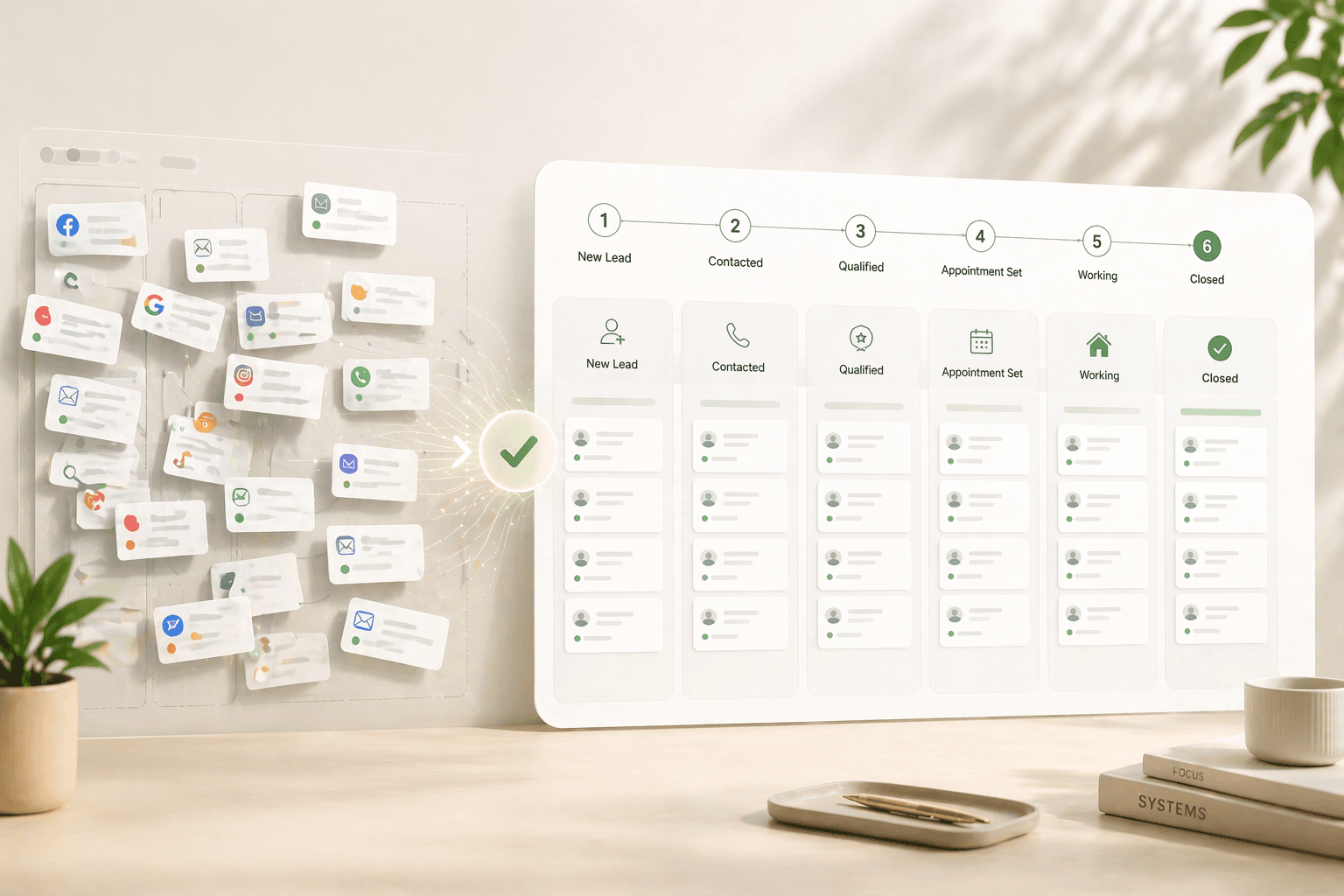
Step 1: Define your lead sources and map them to entry points. Every lead source (Zillow, Realtor.com, your IDX website, open house sign-ins, Facebook ads) should have its own designated entry pipeline in your CRM. Do not dump all leads into a single bucket. A Zillow buyer who looked at 12 listings needs a different first message than an open house visitor who gave you a card. In Follow Up Boss, create a separate Smart List filter per source tagged on entry. In kvCORE, map each lead source to a distinct Smart Campaign. In LionDesk, assign a different drip campaign per source from the lead routing settings.
Step 2: Write your message templates before you touch the automation settings. This is the step agents skip. Open a blank document and write the full sequence—every SMS, every email subject line and body, every voicemail script—before you log into your CRM. If you build the sequence inside the CRM first, you will use placeholder text that never gets replaced. Agents who do step 2 in this order report significantly higher reply rates because their templates have a specific, human voice rather than generic filler copy.
Step 3: Configure the trigger. In Follow Up Boss, set the Action Plan to fire on "New Lead Created." In kvCORE, set the Smart Campaign trigger to "Lead Assigned." In LionDesk, set the campaign start to "Immediately on tag application" and apply the tag via lead routing rules. Test the trigger with a fake lead submitted from a second device to verify timing before going live.
Step 4: Set up the reply-stop rule. Every professional CRM allows you to pause or end a sequence when the lead replies. This is non-negotiable—a contact who has replied to your first SMS and engaged in a real conversation must not receive day-3 automated messages. In Follow Up Boss, enable "Pause on reply" in the Action Plan settings. In kvCORE, the Smart Campaigns pause automatically on inbound activity. In LionDesk, you must set this manually in the campaign options under "Stop campaign when lead responds."
Step 5: Monitor the first 30 days before scaling. Track three metrics only: first-reply rate (what percentage of leads reply to the automated first message), appointment set rate (what percentage schedule a call or showing), and contact rate by attempt number (does attempt 3 or 4 significantly outperform attempt 1?). Velocify's data on contact rates by attempt number shows that 95% of reachable leads pick up by the sixth attempt—meaning if your contact rate plateaus after attempt 2, your timing or channel mix is the issue, not the volume of attempts.
| Key Statistic / Finding | Source & Year |
|---|---|
| The average real estate agent takes 917 minutes (over 15 hours) to respond to a new lead inquiry | Inman News, 2025 Real Estate Technology Survey |
| Agents who respond within 5 minutes are 21 times more likely to qualify a lead than those who wait 30 minutes | MIT Lead Response Management Study / InsideSales.com, Dr. James Oldroyd |
| 78% of homebuyers end up working with the first real estate agent who responds to their inquiry | NAR 2025 Home Buyers and Sellers Generational Trends Report |
| 95% of buyers rate responsiveness as 'very important' in their real estate agent, and 75% only interviewed one agent before committing | NAR 2025 Home Buyers and Sellers Generational Trends Report |
| 80% of sales require five or more follow-up contacts, yet 44% of salespeople give up after just one attempt | RAIN Group Prospecting Research, 2024 |
| Calling a lead within one minute of their inquiry produces a 391% improvement in contact rate compared to calling after two minutes | Velocify, 'When to Call Sales Leads' study |
| 62% of real estate inquiries are submitted outside traditional business hours—evenings and weekends are peak windows | NAR Lead Data / Zillow Group Research, cited 2025 |
| Making up to six follow-up calls in strategic intervals improved contact and conversion rates by more than double compared to single-touch outreach | Velocify, 'When to Call Sales Leads' study |
| 88% of buyers purchased their home through an agent or broker; 91% of sellers used a real estate agent (record high) | NAR 2025 Profile of Home Buyers and Sellers |
| 95% of reachable leads pick up the phone by the sixth attempt | Velocify / Leadsimple.com Lead Response Data |
Frequently Asked Questions
How quickly should a real estate CRM automatically respond to a new lead?
The first automated message should fire within 90 seconds of a lead entering your system—before you or anyone on your team manually sees the notification. MIT research by Dr. James Oldroyd found that waiting 5 minutes instead of responding immediately drops your odds of qualifying a lead by 21 times compared to a 30-minute delay, and by 100 times in terms of raw contact probability. Most agents using standard CRMs average a 15-hour response time, so even automating a basic first SMS puts you ahead of the majority of your market.
What is the difference between Follow Up Boss and kvCORE for automated follow-up?
Follow Up Boss is a lead-management specialist: it does not generate leads or host your IDX website, but its automation sequences (called "Action Plans") fire faster, are easier to configure, and integrate with more outside lead sources. It suits agents and teams who already have lead generation in place. kvCORE (now BoldTrail) is an all-in-one platform that includes IDX websites, a CRM, and behavioral automation—its "Marketing Autopilot" adjusts sequences based on what a lead does on your website. kvCORE suits brokerages and high-volume teams who want a single vendor. Follow Up Boss pricing starts at $69/month for solo agents; kvCORE starts around $499/month for teams.
How many follow-up attempts should be in a real estate CRM sequence?
Research from the RAIN Group and Velocify both point to six as the functional threshold where contact rates peak. Velocify's data showed that six calls scheduled over a 15-day period improved contact rates by 110% compared to a single attempt. After six to eight attempts with zero engagement, the practical approach is to shift the lead into a long-term monthly nurture sequence rather than continue active outreach—Velocify's own data indicates that call attempts after 20 hours with no response show diminishing returns. Build a primary sequence of 8 touches over 14 days, then a secondary sequence of 1 touch per month for 12 months.
What should the first automated text message to a real estate lead say?
Keep it under 160 characters, ask one direct question, and do not include a link. An example that consistently generates responses: "Hi [First Name], this is [Agent Name]. I saw you were looking at homes in [Area]—are you working with an agent yet? Happy to help." The question creates a natural reply hook. Avoid links in the first SMS because they trigger carrier spam filters and reduce deliverability. Do not include your brokerage name or a disclaimer in this first message—it reads as a mass blast and suppresses replies. Add those details in the follow-up email that fires 3–5 minutes later.
Is LionDesk good enough for automated follow-up as a solo agent?
LionDesk ($25–$49/month) covers the core automation requirements for a solo agent: automated drip campaigns, built-in SMS, video texting, and a Power Dialer. Its native video text feature—sending a short personalized video via SMS—genuinely outperforms standard text for initial engagement because it stands out in a recipient's notification. The limitations become material past roughly 500 active leads: the reporting is shallow, the mobile app has reliability issues, and the automation logic does not adjust based on lead behavior. For agents doing more than 20 transactions per year or buying substantial portal leads, Follow Up Boss at $69/month offers meaningfully better automation depth.
What happens if a lead replies to an automated CRM message—does the sequence keep running?
It should not—and configuring this correctly is one of the most important setup steps. Every professional CRM has a "pause on reply" or "stop on response" setting. In Follow Up Boss, enable "Pause on reply" inside each Action Plan. In kvCORE, Smart Campaigns pause automatically when any inbound activity is logged. In LionDesk, you must manually toggle "Stop campaign when lead responds" in the campaign options. If you skip this and a lead who has replied to your first text receives a day-3 "just checking in" automated message, it signals that no one read their reply—the fastest way to destroy the trust you built with a fast initial response.
Do real estate CRMs work for after-hours leads, and how do I set that up?
Yes, and after-hours coverage is where automation creates the biggest competitive gap. NAR and Zillow Group data show that 62% of real estate inquiries come in outside standard business hours. Any CRM with a trigger-based first touch (Follow Up Boss, kvCORE, Sierra Interactive, LionDesk) will fire its automated first message at 10 PM on a Sunday exactly as it does at 10 AM on a Tuesday—that is the core function of trigger-based automation. The configuration is the same as for business-hours leads: map the lead source to a sequence, set the trigger to "on lead created," and enable "pause on reply." No special after-hours settings are needed. What you should configure separately is your call task timing: queue after-hours call tasks for 8–9 AM the following morning, not the middle of the night.
How do I know if my CRM's automated follow-up is actually working?
Track three metrics and ignore everything else in the first 90 days. First, your first-reply rate on the automated SMS (industry benchmark: 15–25% for generic sequences, 30%+ for personalized ones referencing property activity). Second, your appointment set rate—what percentage of leads who entered your CRM in the last 30 days have a showing or consultation scheduled. Third, contact rate by attempt number: look at how many leads you reached on attempt 1 versus attempt 4. If you never reach anyone past attempt 2, your timing or channel is wrong, not your volume. Most CRMs expose these metrics in a built-in report; in Follow Up Boss, use the "Lead Response Report." In kvCORE, check the "Team Analytics" dashboard filtered by lead source.
Amaan Sheikh
— Co-Founder & CEOAmaan Sheikh is the co-founder and CEO of Pinova. He sets the product direction, builds the partnerships, and personally works with every founding partner. His focus is making enterprise-grade real estate technology accessible to ambitious agents and teams — without the enterprise price tag.