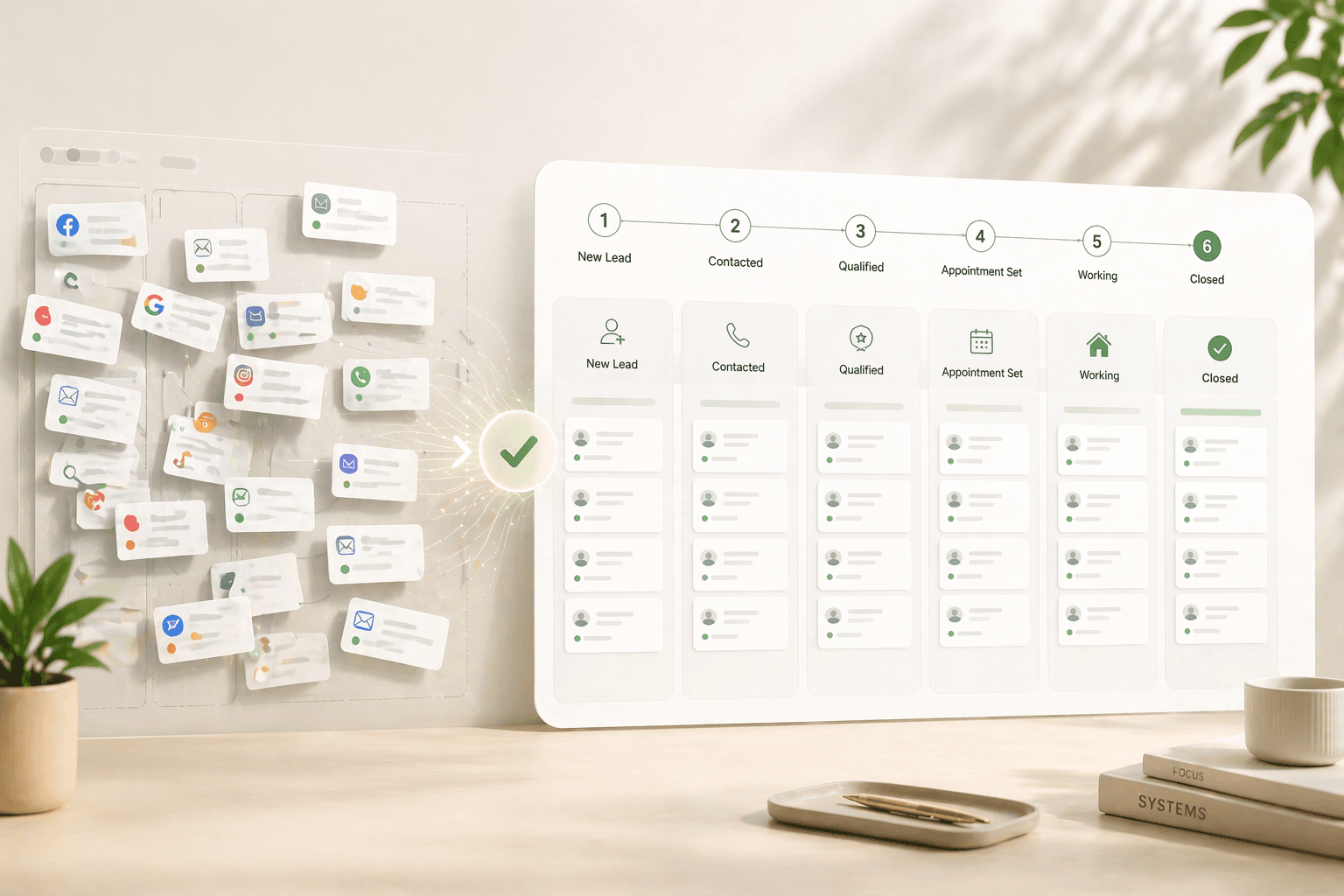
How to Set Up a 90-Day Lead Nurture Sequence in Under One Hour
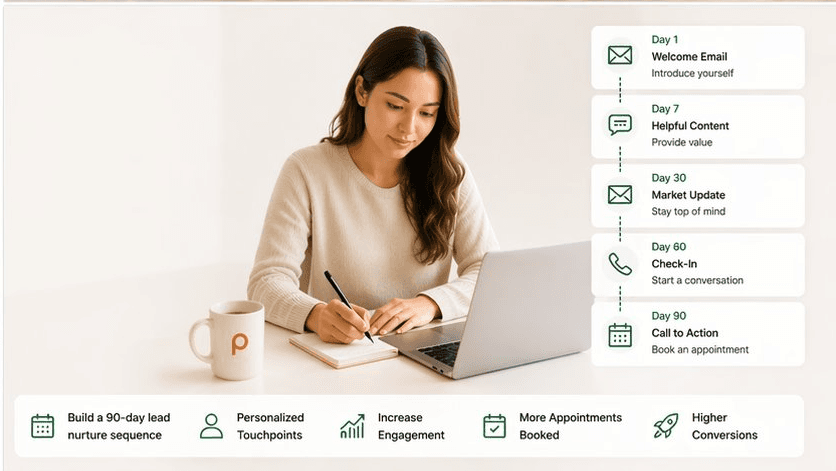

Quick Answer
How do I set up a 90-day lead nurture sequence for real estate?
A 90-day real estate lead nurture sequence requires four components: lead segmentation by timeline (0–30, 31–60, 61–90 days), a contact cadence of 9–12 touchpoints across email and SMS, behavioural triggers that fire when a lead re-engages, and pre-written templates loaded into a CRM before you go live. According to NAR's 2025 Profile of Home Buyers and Sellers, the median buyer searches for 10 weeks before purchasing - meaning a sequence shorter than 70 days misses most of the decision window. The full build, including segmentation, templates, and trigger setup, takes under one hour when done inside a CRM that supports automation workflows.
Key Takeaways
- The median home buyer searches for 10 weeks before making a purchase, per NAR's 2025 Profile of Home Buyers and Sellers - making a sub-70-day nurture sequence structurally too short to cover the full decision window.
- Forrester Research found that companies excelling at lead nurturing generate 50% more sales-ready leads at 33% lower cost compared to those that don't nurture systematically.
- Segment leads into three buckets before writing a single email: 0–30 days (hot), 31–60 days (warm), and 61–90 days (slow-burn) - each bucket needs a different contact frequency and message type.
- SMS delivers a 98% open rate versus email's 20–27%, per Validity and Constant Contact data - adding even two SMS touchpoints per month measurably improves reply rates in nurture sequences.
- According to The Annuitas Group, nurtured leads make 47% larger purchases than non-nurtured leads - meaning the agent who stays in contact longest often wins the bigger commission, not the agent who responded first.
Marcus Webb, a buyer's agent in Austin, Texas, spent $1,400 on Zillow leads in March 2025 and closed zero deals from that spend - not because the leads were bad, but because his follow-up stopped after three emails. Two of those leads, he later discovered, bought homes through other agents six weeks after his last contact. The combined commission he missed: roughly $18,000. The gap was not his marketing budget. It was the 47 days of silence between his last email and the day they signed.
This article gives you a complete 90-day lead nurture sequence you can build and activate in under one hour. By the time you finish reading, you will know exactly how to segment your leads, which cadence to use at each stage, what your email and SMS templates should say, how to set behavioural triggers, and how to go live without breaking anything. Every tactic here has a sourced rationale behind it - nothing is here because it feels right.
Why 90 days is the magic number
The 90-day window is not arbitrary - it maps almost exactly to the documented buying timeline of a typical US home buyer. According to NAR's 2025 Profile of Home Buyers and Sellers, the median buyer searches for 10 weeks before purchasing. That is 70 days of active consideration before a decision. An agent whose nurture sequence runs only 30 or 45 days is dropping off the radar right as the majority of leads are entering their most active decision phase.
The economics reinforce the case. Forrester Research found that companies excelling at lead nurturing generate 50% more sales-ready leads at 33% lower cost compared to those without a structured program. For a solo agent spending $500–$1,500 per month on lead generation, that cost difference can represent $3,000–$6,000 in annual savings - money that effectively stays in your pocket when your nurture system does the qualification work that would otherwise require paid re-targeting.
Stat: According to The Annuitas Group, nurtured leads make 47% larger purchases than non-nurtured leads - meaning a buyer nurtured through a structured 90-day sequence is statistically more likely to purchase at a higher price point than one who received sporadic follow-up.
- The Annuitas Group, Lead Nurturing Research
The 90-day frame also matches a psychological reality: 63% of consumers who request information from a company today will not purchase for at least three months, according to research cited by Rikvin. Stopping your sequence at 30 days is not just inefficient - it is structurally misaligned with how buyers actually move. Agents who build to 90 days capture the decisions that happen in week 8, 9, and 10. Agents who stop at 30 surrender those decisions to whoever stayed in the conversation.
What you need before you start
Before writing a single email, you need four things in place. Missing any one of them adds setup time and creates gaps that leads will fall through. First: a CRM that supports email and SMS automation - not just a contact list. Second: a segmented lead list with each contact tagged by buyer timeline (see Step 1 below). Third: a verified sender domain so your emails don't route to spam; this is a 10-minute DNS task with your domain provider. Fourth: TCPA-compliant SMS consent for any lead you plan to text - if you captured them via a web form, check that the form included an SMS opt-in checkbox.
You also need a baseline response-time process before automation can help you. Velocify research shows that responding to a lead within one minute of inquiry improves conversion rates by 391% compared to longer delays. Automation cannot manufacture that first human contact - but it can handle every touchpoint after it. The sequence you are about to build assumes you or your CRM's AI assistant made first contact within five minutes. If your current average response time exceeds 15 minutes, fix that before investing any further time in the sequence itself.
Set aside 55–60 minutes for the full build. The breakdown: 10 minutes for segmentation, 15 minutes for cadence planning, 20 minutes for template customisation, 5 minutes for SMS touchpoints, 5 minutes for trigger configuration, and 5 minutes to test and go live. If you have never built an automation workflow before, budget 90 minutes. Either way, this is a one-time build - once live, it runs without you.
Step 1: Segment your leads
Segmentation is the single highest-leverage step in the entire build. Without it, your CRM blasts the same message at the same cadence to someone who wants to buy in 30 days and someone who is still 18 months out - and both feel misunderstood. A three-bucket system takes 10 minutes to implement and makes every subsequent email feel relevant rather than generic.
Bucket A - Hot (0–30 days): Leads who have told you or indicated through behaviour (multiple listing views, price-drop alerts enabled, recent open house attendance) that they want to transact within a month. These get daily contact for the first week, then every 2–3 days for the remainder of their 30-day window. Phone and text take priority over email. The opening SMS for this group: "Hi [Name], just flagged 3 new listings in [neighbourhood] that match your criteria - want me to send them over?" - direct, specific, easy to reply to.
Bucket B - Warm (31–60 days): Leads with a stated or implied 1–2 month timeline. Weekly email contact with one SMS touchpoint every 10 days. Content focus: market snapshots, new listings in their saved search area, one educational email per month (e.g., "3 things that surprised first-time buyers in Austin last quarter"). This bucket converts more leads than any other - it is long enough for urgency to build but short enough that momentum is still active.
Bucket C - Slow-Burn (61–90 days): Leads who are exploring but have no stated timeline. Bi-weekly email, one SMS per month. These leads need content that educates rather than pushes: neighbourhood guides, mortgage rate commentary, sold-price comparisons. The goal is to be the most trusted voice in their inbox so that when their timeline accelerates - which it does for most buyers - you are the agent they already feel they know. 88% of buyers worked with a real estate agent or broker in the NAR 2025 survey; the agents who win that relationship most often are those who stayed present throughout the research phase.
Step 2: Set your cadence
A cadence is not a schedule - it is a sequence of touchpoints with a defined purpose at each stage. The purpose changes across the 90 days, and your message should reflect that change. Days 1–14 are about establishing presence and gathering information. Days 15–45 are about demonstrating expertise through market knowledge. Days 46–90 are about staying relevant until the decision is ready.
For a Bucket B lead, a proven cadence looks like this: Day 1 (welcome email + one listing alert), Day 3 (SMS: a specific neighbourhood stat), Day 7 (email: market snapshot for their target area), Day 14 (email: educational content - e.g., "What a 6.5% mortgage rate actually costs per month on a $450K home"), Day 21 (SMS: check-in), Day 28 (email: 3 recently sold comps in their area), Day 35 (phone attempt), Day 45 (email: re-engagement offer - a free CMA or buyer consultation), Day 60 (SMS: new listing alert), Day 75 (email: market update), Day 90 (final email: direct ask - "Are you still planning to buy this season?"). That is 11 touches across 90 days - fewer than 1.5 per week - and each one delivers something specific.
Research from the RealScout Academy documents a brokerage that ran a structured reactivation campaign (7–12 touches over 30–60 days) on 3,200 dormant leads and saw lead-to-listing conversion jump from 4% to 18%. The key variable was not creativity in the messaging - it was consistency in the cadence. Agents who sent irregularly (a burst of three emails one week, then silence for three weeks) saw far lower re-engagement rates than those who maintained a steady, predictable rhythm.
Step 3: Customise your email templates
Every email in your sequence needs three components: a subject line that creates curiosity without being deceptive, a body that delivers one piece of specific value, and a single, low-friction call to action. Most agents write emails that try to do all three things at once and end up doing none of them well.
A Luxury Presence case study from 2024 documented a three-email automated sequence built for a Chicago real estate professional that achieved a 31% open rate on the first email and a 43% click-through rate on the second - with zero unsubscribes across the entire campaign. The distinguishing feature of that sequence was hyper-local specificity: each email referenced a specific neighbourhood, a specific price tier, and a specific recent event (a new listing, a price reduction, a sold price). Generic copy produced none of those results.
For your Day 1 welcome email, use this structure. Subject: "Your [neighbourhood] search - 3 things worth knowing." Body paragraph 1: introduce yourself in one sentence, then give them one piece of genuinely useful local data (e.g., "In [neighbourhood], the median list price dropped 4.2% in April - here's what that means for buyers entering now"). Body paragraph 2: one listing alert based on their stated criteria. CTA: "Reply with any questions or call me at [number]." Keep the total email under 150 words. Emails that exceed 200 words in a nurture sequence see measurably lower engagement than shorter ones, per Paperless Pipeline's 2025 analysis of real estate email campaigns.
For months two and three, rotate between three template types: the market snapshot (what sold, what's listed, what the spread looks like), the educational explainer (one concept that matters to buyers at their stage), and the social proof touchpoint (a brief client story or testimonial that demonstrates your process, not your personality). Never send two templates of the same type back-to-back - variety sustains open rates across a long sequence.
Step 4: Add SMS touchpoints
SMS is not a supplement to email - it is a separate channel with fundamentally different engagement dynamics. According to Validity and Forbes data, SMS achieves a 98% open rate versus email's average 20–27%. More practically: 90% of SMS messages are read within three minutes of delivery, compared to an average of 6.4 hours for email. A well-placed text message gets seen during a commute; an email gets seen (or not) at some undetermined point in a crowded inbox.
Use SMS for three specific purposes in your nurture sequence: the urgent-value moment (a new listing that exactly matches their criteria), the check-in (a human-sounding, low-pressure message designed to prompt a reply), and the re-engagement trigger (sent when a lead who has gone quiet views a listing or opens an email). A check-in SMS template that consistently generates replies: "Hey [Name] - any questions about the [neighbourhood] market this month? Happy to send over what's moved recently." That message is 16 words, asks one easy question, and requires no real-estate knowledge to answer. Response rates for this format typically run 8–15% among Bucket B and C leads, which is 2–3x the response rate of a marketing email.
Stat: SMS delivers a 45% response rate versus 6% for email, according to Business.com research cited across multiple 2025 SMS marketing benchmarks - meaning a text message is roughly 7.5 times more likely to generate a reply than the same message sent via email.
- Infobip SMS Marketing Statistics, 2025
Two compliance rules apply to every SMS you send. First, you must have explicit written consent - a checkbox on your web form or a verbal opt-in documented in your CRM. Second, every message must include a simple opt-out instruction ("Reply STOP to unsubscribe"). Agents who skip consent verification run real legal risk under TCPA regulations; the compliance cost of a single violation far exceeds any conversion benefit. Keep a consent timestamp in each lead record before activating SMS for that contact.
Step 5: Set behavioural triggers
A behavioural trigger is an automated action that fires when a lead does something specific - opens an email, views a listing three or more times, clicks a price-reduction alert, or visits your website after 30 days of inactivity. Triggers transform your nurture sequence from a time-based drip into a responsive system that adapts to buyer signals in real time.
The five triggers that produce the most re-engagement in real estate nurture sequences are: (1) Listing view > 3 times in 48 hours - fire an SMS: "Noticed you've had an eye on [address] - want to book a showing this week?" (2) Email open after 14-day silence - fire a follow-up email 24 hours later with a fresh listing alert. (3) Price reduction on a saved property - fire an immediate email notification with a one-sentence agent commentary on what the reduction means. (4) Milestone day (Day 30, Day 60, Day 90) - fire a check-in SMS asking if their timeline has changed. (5) Website visit from a cold lead - fire a re-introduction email the same day: "Saw you were browsing [neighbourhood] listings - anything specific caught your eye?"
MIT research found that leads contacted within 5 minutes of a signal are 21 times more likely to qualify than those contacted at 30 minutes. Behavioural triggers are the mechanism that makes 5-minute response times achievable without you sitting at your desk watching a dashboard. The trigger fires; the message goes; you get notified to follow up with a phone call. The automation handles the speed requirement. You handle the human connection that closes the deal.
One trigger that most agents miss: the re-entry trigger. When a Bucket C lead (61–90 days, slow-burn) triggers three behavioural signals in a 7-day window - say, two listing views and an email open - automatically move them to Bucket A and increase the contact frequency. That pattern indicates an external event (a lease ending, a life change, a rate shift) that accelerated their timeline. Agents who catch that acceleration and respond within 24 hours capture the deal. Agents whose static drip continues at bi-weekly cadence miss the window entirely.
Step 6: Go live
Before activating the sequence, run a five-point pre-launch check. First, send yourself a test email from every template in the sequence and verify that merge fields (name, neighbourhood, listing address) populate correctly - a broken field that outputs "" instead of "Marcus" destroys credibility instantly. Second, confirm your sender domain is authenticated (SPF and DKIM records set); unauthenticated emails route to spam at a much higher rate and will skew your open-rate data for months. Third, test your SMS consent list - send a manual test message to one opted-in contact and verify delivery. Fourth, verify that each behavioural trigger fires on a test contact by manually simulating the trigger condition. Fifth, confirm that your opt-out mechanism routes correctly to a suppression list.
Pinova's CRM automation layer handles trigger logic, sequence branching, and multi-channel delivery - when a lead moves from Bucket C to Bucket A based on behavioural signals, the platform automatically adjusts the contact frequency and queues the appropriate template without any manual intervention.
Once live, set a 30-day review reminder in your calendar. At that point, pull three metrics: open rate by segment (Bucket A vs. B vs. C), reply rate by channel (email vs. SMS), and bucket-movement rate (how many Bucket C leads moved to Bucket A based on trigger activity). These three numbers tell you whether your segmentation is accurate, whether your messaging is landing, and whether your triggers are catching real buying signals. An open rate below 20% in Bucket A is a subject-line problem. A reply rate below 3% on SMS is a message-tone problem. A bucket-movement rate of zero is a trigger-configuration problem. Each issue has a specific, 30-minute fix. Agents who skip this review and let a broken sequence run for six months are not nurturing leads - they are training them to ignore future messages.
| Key Statistic / Finding | Source & Year |
|---|---|
| Median home buyer searches for 10 weeks before purchasing | NAR 2025 Profile of Home Buyers and Sellers |
| Companies excelling at lead nurturing generate 50% more sales-ready leads at 33% lower cost | Forrester Research, lead nurturing benchmarks |
| Nurtured leads make 47% larger purchases than non-nurtured leads | The Annuitas Group, lead nurturing research |
| Responding to a lead within one minute of inquiry improves conversion rates by 391% | Velocify lead response research |
| Leads contacted within 5 minutes are 21 times more likely to qualify than those contacted at 30 minutes | MIT / InsideSales.com Lead Response Management Study |
| SMS achieves a 98% open rate versus email's average 20–27% open rate | Validity / Forbes SMS marketing statistics, 2025 |
| SMS response rate is 45% versus 6% for email | Business.com, cited in Infobip SMS Marketing Statistics 2025 |
| 88% of buyers worked with a real estate agent or broker in 2025 | NAR 2025 Profile of Home Buyers and Sellers |
| 3-email automated sequence for a Chicago agent produced 31% open rate and 43% click-through rate with zero unsubscribes | Luxury Presence Case Study: Automated Lead Nurture Email Strategy, 2024 |
| Structured reactivation campaign on 3,200 dormant leads increased lead-to-listing conversion from 4% to 18% | RealScout Academy real estate lead nurture guide, 2026 |
Frequently Asked Questions
How many emails should be in a 90-day real estate nurture sequence?
A 90-day nurture sequence for a warm lead (31–60 day buying timeline) should contain 9–12 email touchpoints. That works out to roughly one email per week, which Paperless Pipeline's 2025 analysis identifies as the frequency that maintains engagement without triggering fatigue or unsubscribes. Each email should serve a single purpose: a listing alert, a market snapshot, an educational explainer, or a direct check-in. Mixing purposes in one email dilutes response rates.
What is the best time to send follow-up emails to real estate leads?
Tuesday and Thursday mornings between 8 AM and 10 AM consistently outperform other send times for real estate nurture emails, based on industry benchmarks compiled by Paperless Pipeline and Marketing LTB. Sunday sends produce the lowest engagement across most studies. For SMS, mid-morning (9–11 AM) and early evening (5–7 PM) on weekdays generate the highest reply rates; avoid sending texts after 8 PM or before 8 AM, both for compliance reasons and because late-night messages rarely generate immediate replies.
How do I re-engage a real estate lead who stopped responding?
A structured re-engagement approach that consistently revives 5–15% of dormant leads uses five touches over 30 days: a conversational text on Day 1 ("Hey, just checking in - is buying still on your radar?"), a value-add market stat by email on Day 7, a personalized market video or neighbourhood photo on Day 14, a phone call on Day 21, and a final "last attempt" email on Day 30. The RealScout Academy documented a brokerage that used a 7–12-touch reactivation campaign on 3,200 dormant leads and saw appointments increase 320% in 90 days. The key is leading with value, not urgency.
Should I use SMS or email in a real estate lead nurture sequence?
Both channels serve different roles and both are necessary. Email handles long-form value delivery - market reports, listing alerts, educational content. SMS handles speed and presence - a 98% open rate (Validity, 2025) means a text message almost always gets seen within minutes, while an email can wait 6+ hours. The most effective nurture sequences use email as the primary content channel and SMS as the engagement amplifier: 2 SMS touchpoints per month are enough to keep a lead responsive without overloading them. Always confirm you have written opt-in consent before texting any lead.
How long does it take to build a real estate drip campaign from scratch?
A complete 90-day sequence - including segmentation, cadence planning, email template customisation, SMS touchpoints, behavioural trigger setup, and go-live testing - takes between 55 and 90 minutes when done inside a CRM that supports automation workflows. The longest step is template writing (roughly 20 minutes for 9–12 emails). Segmenting a lead list of up to 200 contacts takes under 10 minutes if contact records include a timeline field. Agents building this for the first time should budget 90 minutes; those repeating the process for a new market segment can typically complete it in under an hour.
What is a behavioural trigger in a real estate CRM and how does it work?
A behavioural trigger is an automated rule that fires a specific message or action when a lead takes a predefined action - for example, viewing the same listing three times in 48 hours, opening an email after two weeks of silence, or visiting your website after a 30-day gap. Triggers allow a nurture sequence to respond to real buying signals rather than just advancing on a fixed schedule. According to MIT research cited by InsideSales.com, leads contacted within 5 minutes of showing intent are 21 times more likely to qualify than those contacted 30 minutes later - behavioural triggers are the mechanism that makes 5-minute response time achievable at scale.
How do I segment real estate leads for a nurture sequence?
Use a three-bucket system based on buying timeline. Bucket A (hot, 0–30 days): daily contact for week one, every 2–3 days thereafter - phone and SMS priority. Bucket B (warm, 31–60 days): weekly email plus one SMS every 10 days - content focus is market data and listings. Bucket C (slow-burn, 61–90 days): bi-weekly email plus one SMS per month - content focus is education and neighbourhood knowledge. The segmentation input comes from the lead intake form (ask "When are you looking to move?") or from behaviour (multiple listing views indicate Bucket A even if the stated timeline is longer). Move leads between buckets automatically when behavioural triggers fire.
Amaan Sheikh
— Co-Founder & CEOAmaan Sheikh is the co-founder and CEO of Pinova. He sets the product direction, builds the partnerships, and personally works with every founding partner. His focus is making enterprise-grade real estate technology accessible to ambitious agents and teams — without the enterprise price tag.